



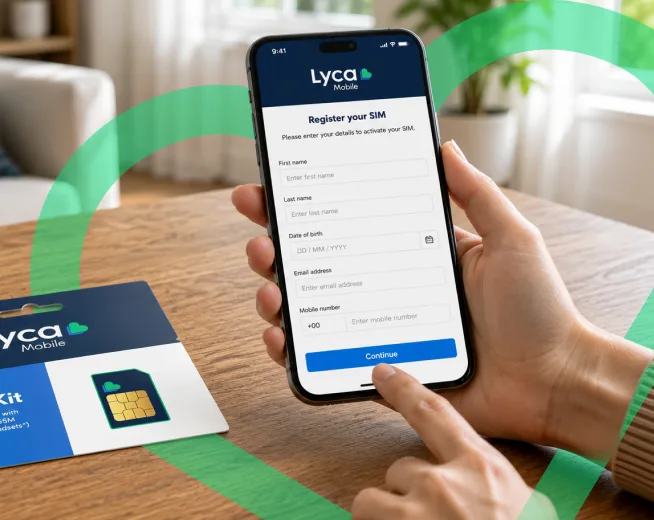
Congratulations on your new Lyca Mobile SIM card/eSIM. You’re now a part of one of the world’s largest MVNOs.
The only thing left is to activate and register your SIM card so that you can start using the benefits associated with your mobile plan.
Let’s find out how!
What Do You Mean by Registering a Lyca Mobile SIM Card?
Registering a Prepaid SIM card means identifying yourself to the operator. This process is usually done online, but it can be done by visiting a store as well.
The Austrian telecommunication authority made registration mandatory on January 1, 2019. After this legislation, customers who purchase mobile plans in Austria, postpaid and prepaid, have to register their SIM cards/eSIMs before they can use mobile services. This rule applies even if SIM cards/eSIMs are used in data modems for internet connectivity.
What are the Documents Needed for Registration?
You can use one of the following documents to register your Lyca Mobile Prepaid SIM card or eSIM.
- Passport
- E-banking login credentials
- National identity card
- Driver’s license
In addition to these documents, make sure you keep the following information from Lyca Mobile handy.
- Your Lyca Mobile number
- The PUK code of the Lyca Mobile Prepaid SIM card
- Your Lyca Mobile SIM card number (also known as ICCID)
Let’s find out how you can register your Lyca Mobile SIM card/eSIM.
How to Register Your Lyca Mobile SIM Card?
You’ll have to register your Lyca Mobile SIM card/eSIM to use the call, text, and data services associated with it. Here are the step-by-step instructions on how to do it.
Step 1: Head to the SIM Registration page. You can also access this page by clicking on the Register button on the Thank You page.
Step 2: You get the option to register using your mobile number or PUK code. Pick one that you find convenient.
Step 3: Enter the relevant information and click the Continue button. The PUK and SIM number can be found on the Thank You page. Lyca Mobile shares this information via email as well.
Step 4: Next, you’ll have to enter personal information like salutation, title, first name, last name, date of birth, street, zip code, city, and country. Click on Continue to proceed.
Step 5: Next, on the identification data page, enter the type of document you’ll be using for registration. Enter the information relevant to the document you choose. Click on Continue to proceed.
Step 6: Next, you get to choose from three methods of identification. You can choose between Online Banking, Photo Identification, or ID Austria. Choose your preferred method and click on Next.
Step 7: For Photo Identification and ID Austria, you will have to continue the remaining process using your smartphone. The Online Banking method identifies you using the data from your bank.
Don’t forget to make sure the details you entered on the website are the same on the documents you used for verification.
Once you have completed the registration, you will see a “Your authentication has been successfully completed” message, and you will be redirected to the homepage.
That’s it! You can now enjoy mobile services throughout Austria.
The registration process can be done before or after SIM activation. But we recommend doing it before you activate your Lyca Mobile SIM card or eSIM.
Conclusion
Registering your SIM card/eSIM is a mandatory process, not just with Lyca Mobile, but with all operators in Austria.
Lyca Mobile’s registration process is completely online. Just make sure you’re connected to a stable internet connection and have the necessary information with you.
After successful registration, you can use all the benefits included in your Lyca Mobile prepaid plan.
In case you run into issues, please contact customer support by dialing 322 from a Lyca Mobile number or 0123008322/+43 123008322 from other networks.